

Examples and a guided walkthrough
Use public demos to understand scan findings and run evidence before testing your own app.
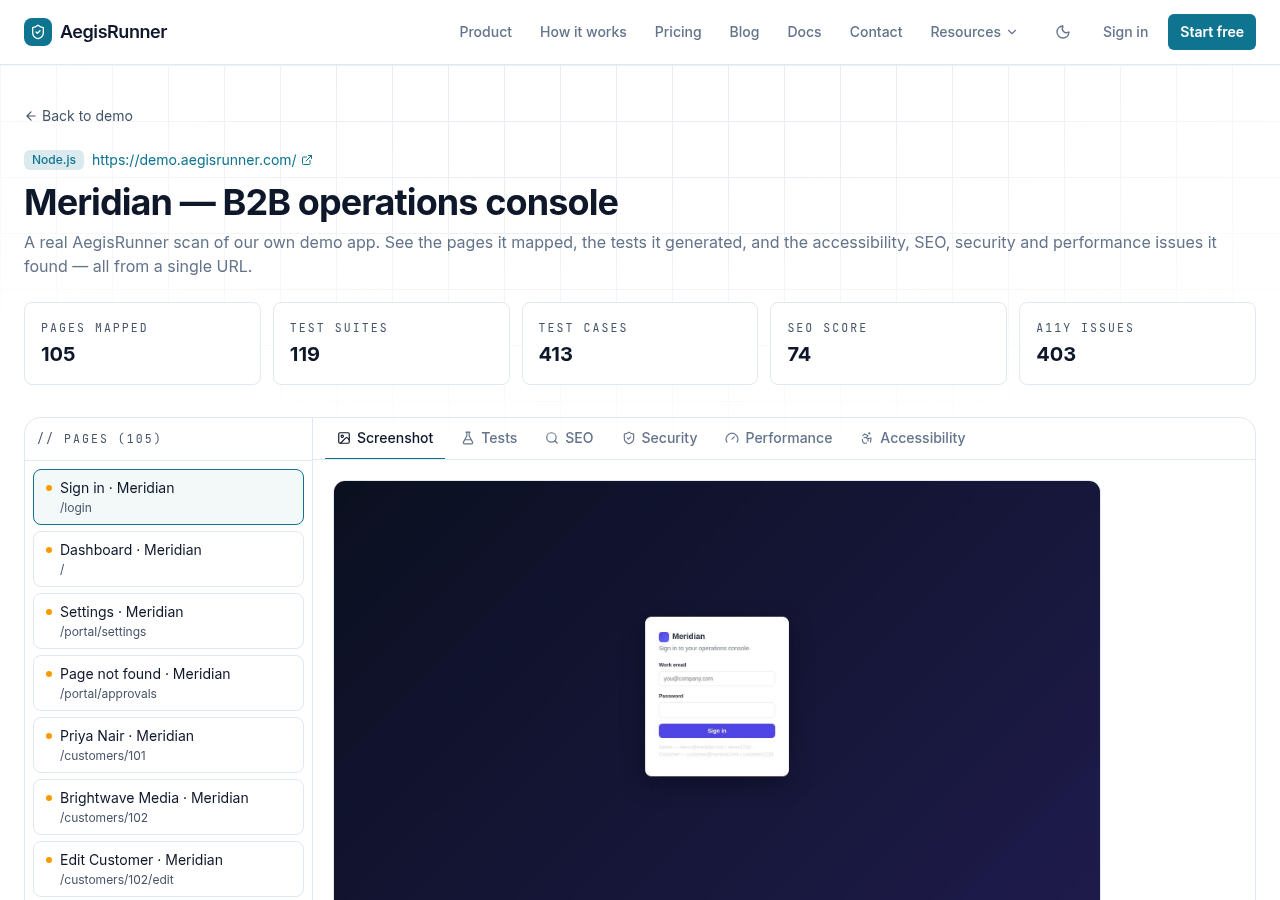
Use Live Demos to inspect published examples of AegisRunner results. These are examples of specific executions, not a promised pass rate for another application.
Walk through a result
- Choose a demo relevant to your product, such as a workflow with forms or saved records.
- Inspect the reached pages or screens and the reported findings.
- Open the available test or report evidence.
- Compare the action, expected outcome, and observation.
- Decide whether the result indicates an app problem, a testing setup problem, or missing evidence.
Try the workflow on your app
Start with a small staging workflow and a dedicated account. Follow Quickstart, confirm protected pages were reached, review one suite, and execute it.
After inspecting a stable run, choose an advanced example:
- Repeat form cases with CSV data.
- Verify a customer record reaches an administrator.
- Export a reviewed suite as Playwright code.
- Run a known suite from CI.
Keep the environment, role, and data assumptions explicit when comparing your results with a demo.
Was this page helpful?